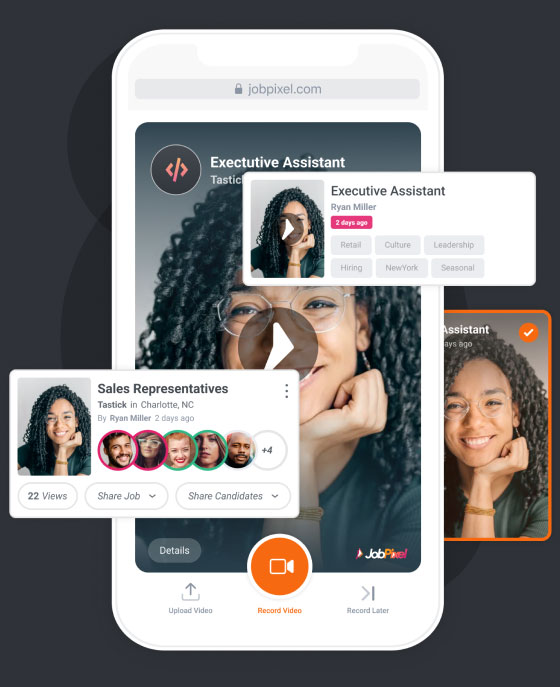

Screen & Assess
Reducing friction and delivering a hiring experience where people come first.
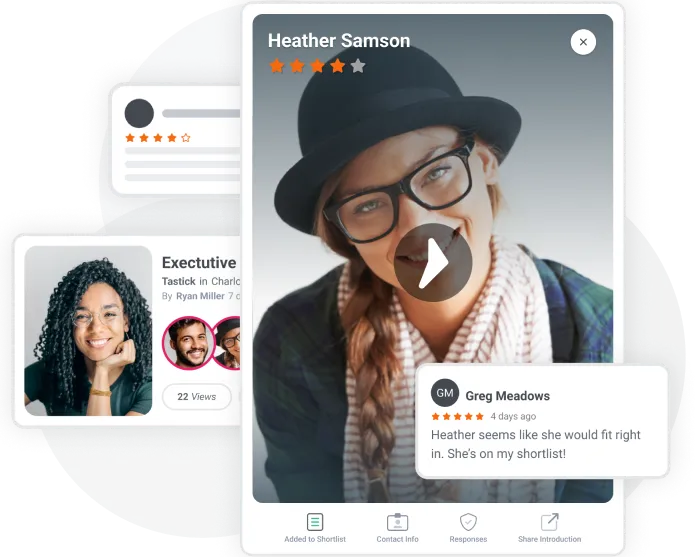
Hiring, Simplified
Quickly & Easily Post Your Job
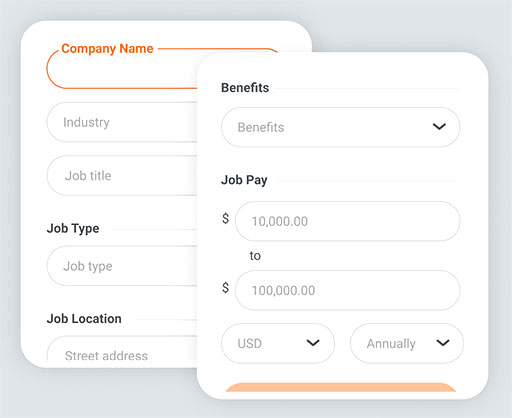
Enter job details
Enter all of the important details about your available position, including job title, location, benefits, and salary. This information will be displayed alongside your job posting video for candidates to read.
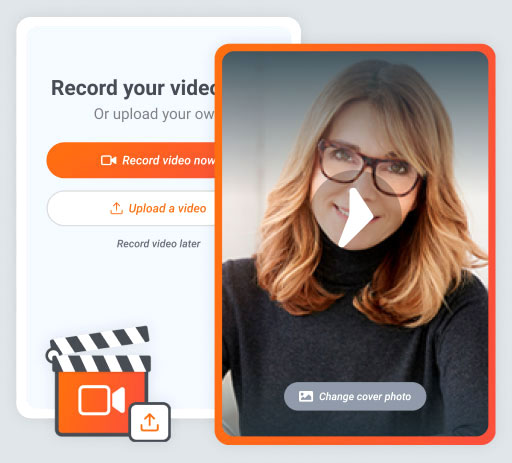
Record or upload video
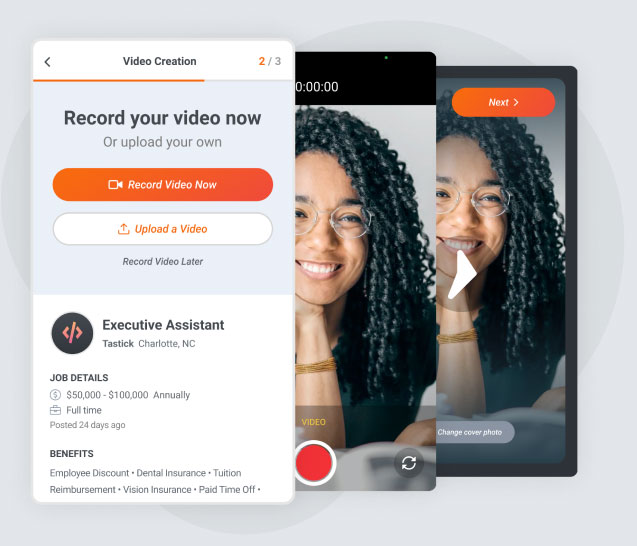
Skip the lengthy written job description and record or upload a brief video instead, telling us about the position and your ideal candidate. Not camera ready? No problem, we accept text-only job descriptions too.
Review candidate videos
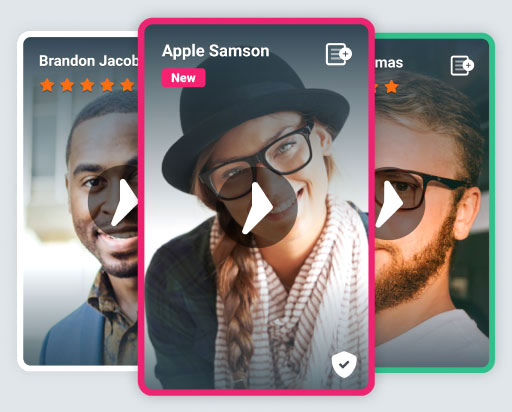
As introduction videos start coming in, easily access them from your My JobPixel Dashboard. Watch your videos by swiping through them one at a time, tapping to add your favorites to the shortlist along the way. Then share them with your hiring team for ratings and comments.
Video Job Descriptions
Replace lengthy, written job descriptions with an engaging video from your hiring manager telling applicants all about the position. Choose to record a live video or use an existing one from your video repository.

Video Job Descriptions
Connect with candidates
Video job descriptions truly resonate with candidates and help you turn your hiring process into an engaging conversation.
Video Introductions
Skip the phone interview and get to know your candidates better with video. Hear directly from candidates, in their own words, why they'd be a great addition to your team. Accelerate your hiring by identifying the best-fit candidate faster.


Video Introductions
Humanize hiring
Candidates are more than a piece of paper, so it's time we go beyond the resume. Giving candidates an outlet to showcase their personalities improves the candidate experience and results in higher engagement.
Custom Call To Actions
Providing flexibility to increase response rates
Custom Call To Actions
Primary Call To Action
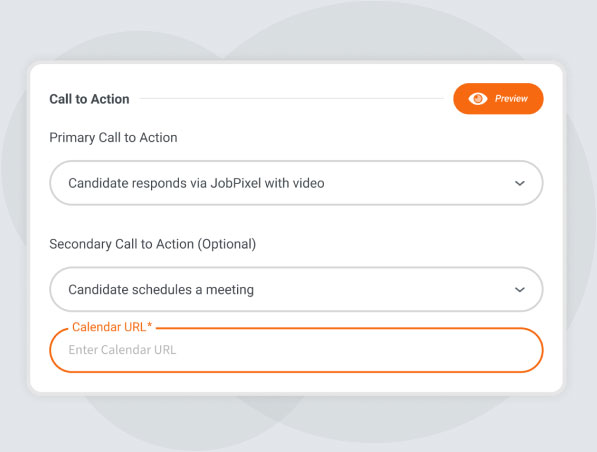
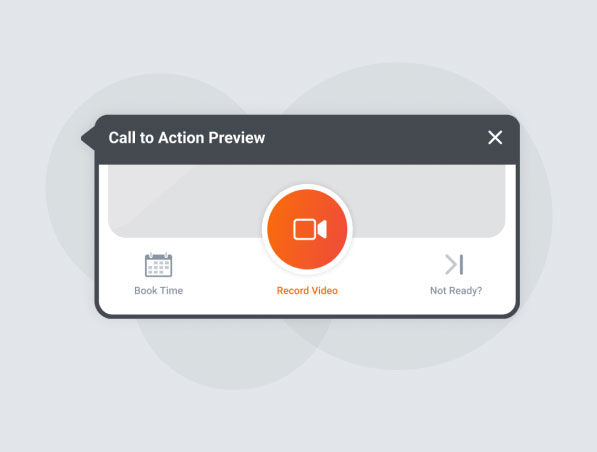
Based on your desired objective, select the appropriate primary call to action candidates will see. Choose from receiving video introductions, applying via your ATS, booking a meeting or simply collecting candidate contact info and quick questions responses on JobPixel. Want to give candidates options? If so, you can also add a secondary call to action.
Custom Call To Actions
Not Ready?
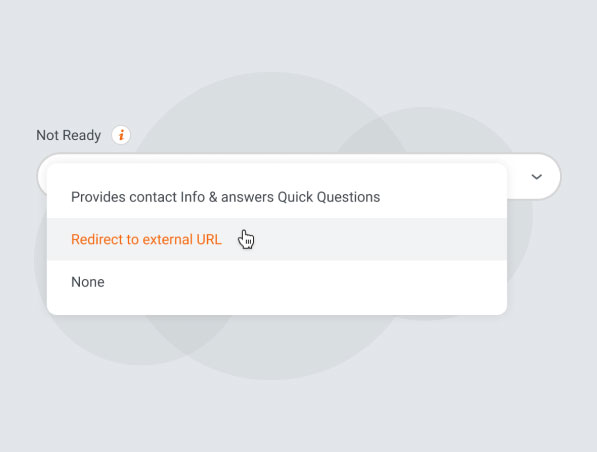
By default, applicants who are not ready to apply will continue to register on JobPixel and complete any quick questions. Alternatively, you can provide an external URL you wish to redirect them to.
Custom Call To Actions
Preview CTAs
Before continuing, preview your call to actions to experience how your candidates will see it.
Hiring Team Collaboration
Hiring is a team sport, so we've made it easy to collaborate with your entire hiring team to identify the best candidates together through universal sharing, candidate ratings and real-time collaborative discussions.

Hiring Team Collaboration
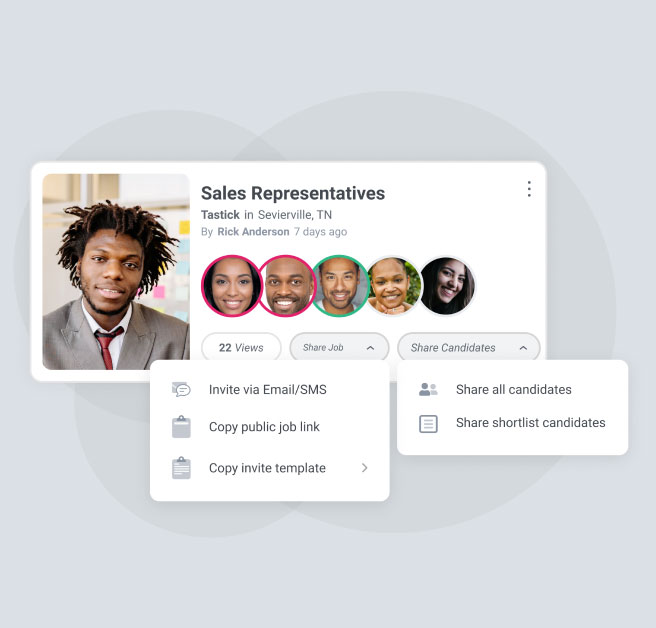
Universal Sharing
Quickly and easily share candidates with anyone, even outside your company, with your universal share link. You control whether viewers can see all candidates or only those on your shortlist.
Hiring Team Collaboration
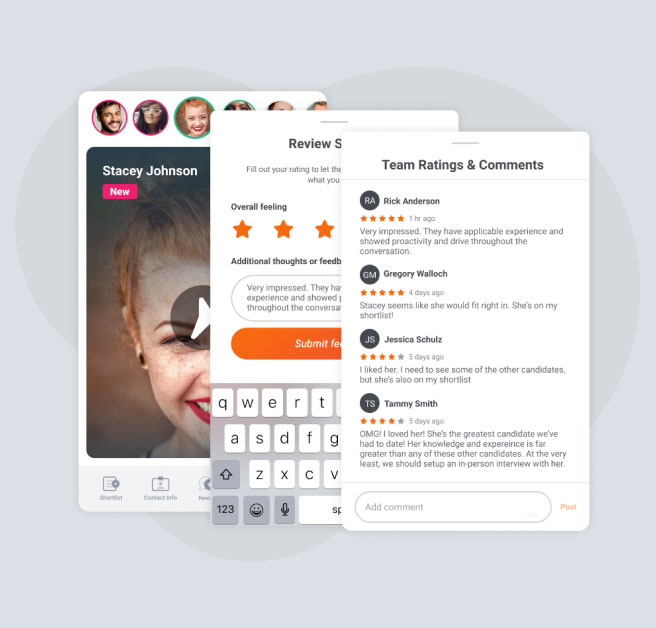
Candidate Ratings & Comments
Team members watch applicant videos then rate candidates on a 5-star system, providing a benchmark for comparing potential hires. Our unbiased workflow requires team members to submit their own rating and comments before seeing what the rest of the team thinks.
Hiring Team Collaboration
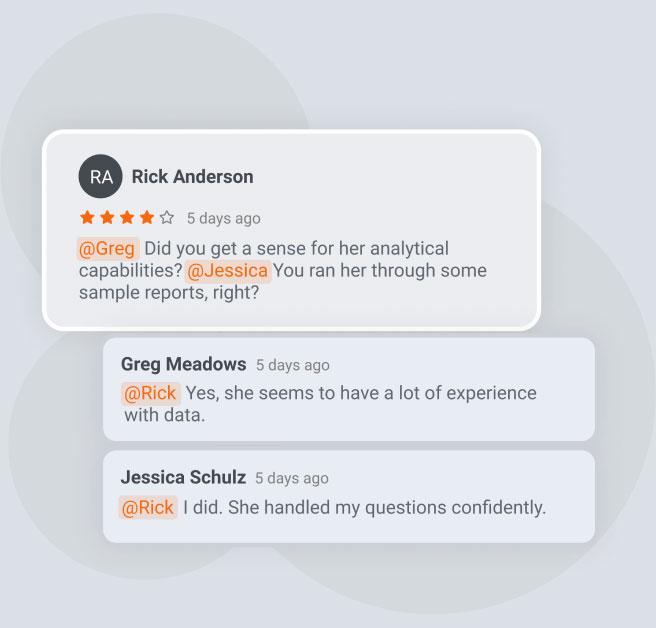
Real-time Collaboration & Discussions
Engaging in real-time, collaborative discussions about the merits of each candidate accelerates the hiring process and leads to better outcomes. Use @ mentions to get the attention of someone specific or reply to any comment and that person will receive a notification that they need to return to the conversation.
Candidate Pre-Qualification
Customize required questions for candidates to complete

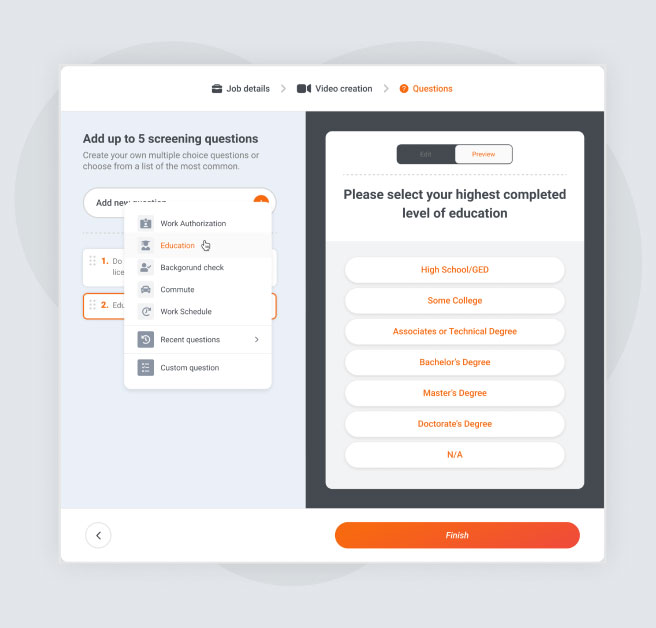
Candidate Pre-Qualification
Preset Popular Questions
Save time by choosing from a selection of popular questions covering topics such as work authorization, education, certifications, background checks, overtime and commute requirements.
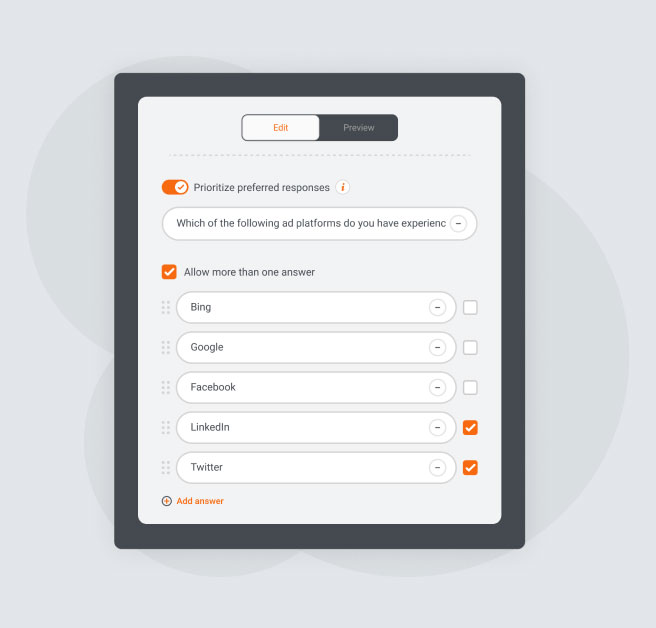
Candidate Pre-Qualification
Custom Multiple Choice
Don't see a popular question that meets your needs? Create your own custom questions, provide possible answers and denote the "correct" answer (or answers if it's a multi-select question).
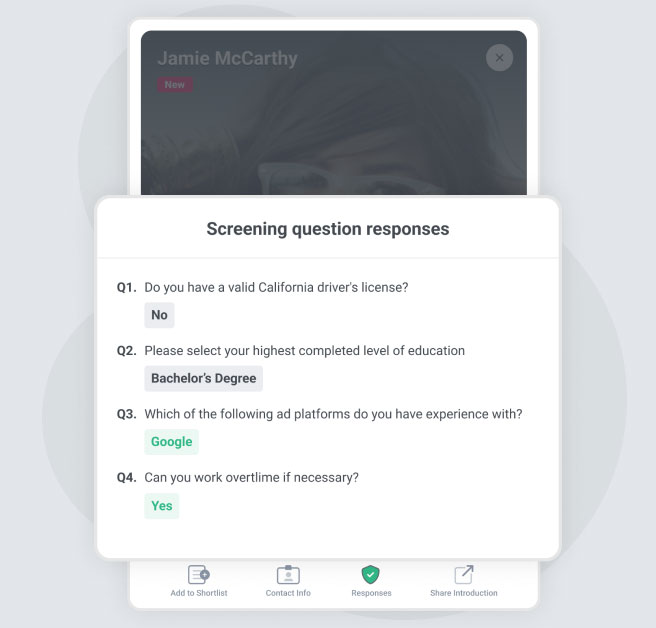
Candidate Pre-Qualification
Filtering and Reviewing
Access each candidate's answers from their video card in your Dashboard. Use filters to narrow your view of candidates based on specific answers to your questions.
Want to see JobPixel in action?
Learn how you can enhance your brand experience with video.